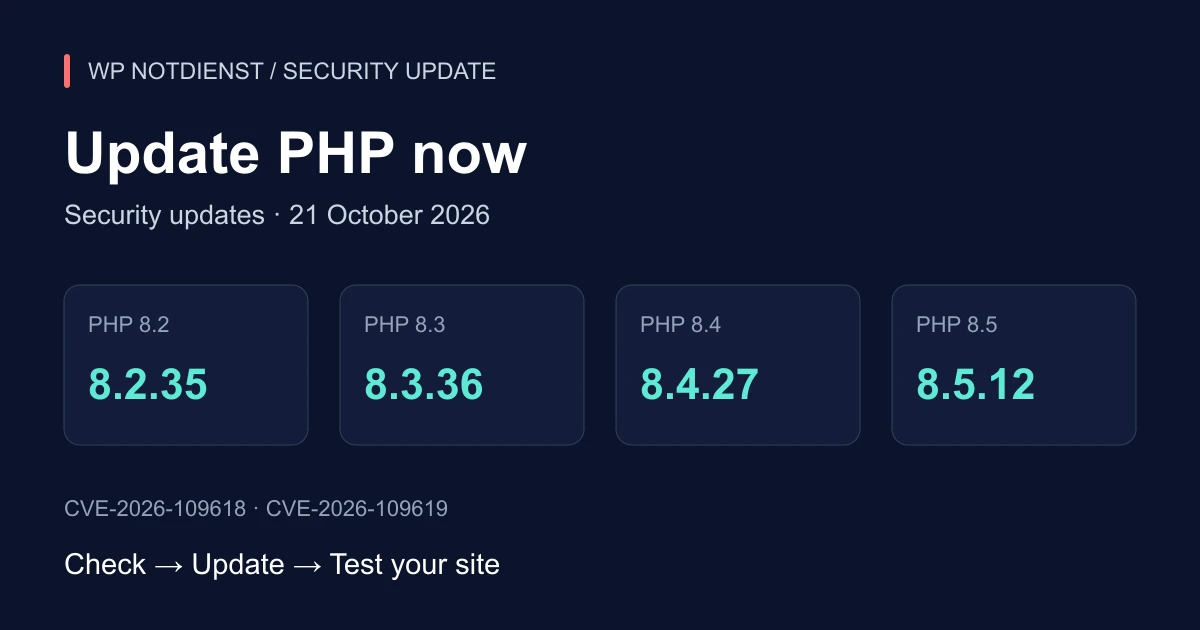
Checked on 22 October 2026. Germany’s BSI issued its warning the previous day and urged operators to act immediately. The updates announced in that warning are now available. This guide explains what that means for WordPress site owners and how to get the work done.
Do not wait for your next routine maintenance window
Prioritise PHP websites exposed to the internet. Need support? Request help with your PHP update now.
What happened, and why does it matter?
These are two flaws in PHP itself. Under the relevant conditions, an attacker can run code with the web worker’s permissions without logging in. Both vulnerabilities carry a critical CVSS 4.0 score of 9.2 out of 10.
- CVE-2026-109618: A memory failure can leave PHP in an unsafe state while processing a request.
- CVE-2026-109619: Internal data from a finished request can be used incorrectly by a later request.
Exploitation depends on the application and configuration. PHP identifies web environments including PHP-FPM, Apache/mod_php, CGI, FrankenPHP and LiteSpeed as requiring attention, with the highest risk assigned to mod_php. A normal homepage or a clean malware scan does not establish that your runtime is safe.
Which PHP versions need updating?
These are the first official releases containing fixes for both CVEs. Use at least the listed patch level within your branch, or a later security release.
| PHP branch in use | Vulnerable official patch levels | First fixed release |
|---|---|---|
| PHP 8.2 | up to and including 8.2.34 | 8.2.35 |
| PHP 8.3 | up to and including 8.3.35 | 8.3.36 |
| PHP 8.4 | up to and including 8.4.26 | 8.4.27 |
| PHP 8.5 | up to and including 8.5.11 | 8.5.12 |
Hosting and Linux packages may use vendor backports. A provider can apply fixes while retaining an older base version number. Ask for the exact package version and confirmation that it fixes both CVEs. A general statement that “PHP is up to date” does not give you enough evidence.
PHP 8.1 and earlier branches no longer receive regular security releases from the PHP project. Minimal source backports exist for 7.4, 8.0 and 8.1, and vendor fixes may be available. These do not replace a longer term migration. Official security support for PHP 8.2 ends on 31 December 2026, so plan its replacement as well.
What should a WordPress owner do now?
- Map your hosting: List the websites, shops and other PHP applications in your hosting account. Include reachable test installations.
- Confirm patch status: Ask your host to identify the runtime actually serving each website and confirm both CVEs are fixed. A local
php -vcommand may report a different runtime. - Prepare the update: Check that you have a current backup and a workable recovery route. Where possible, test critical functions in a protected staging environment without delaying the patch unnecessarily.
- Update PHP: Install the appropriate fixed package or have your host do it. Ensure the relevant PHP processes are running the updated code and have been restarted where required.
- Test the website: Check the homepage, login and contact form, including receipt of the message. For shops, test the basket, checkout and payment flow. Review error logs and record the confirmed patch level.
Installing a patch within a supported branch differs from moving from PHP 7 to PHP 8.5. A larger version change needs compatibility checks to catch old plugins or custom code that could break the site.
What if my host does not offer the update yet?
Ask for a specific delivery time and an interim plan. The PHP advisories describe settings that reduce exposure to individual attack paths. Those measures do not replace the complete update. Have server changes assessed by someone responsible for the hosting environment; removing memory limits without appropriate safeguards can threaten availability.
A security plugin or firewall does not prove the PHP flaws are fixed. If a prompt update is impossible, agree on access restrictions or temporary suspension of the affected application with your host.
What if an attack may already have happened?
Preserve available logs and document unknown accounts, file changes or redirects. Patching closes the vulnerabilities but does not remove code an attacker has already planted. Our first-hour WordPress incident guide helps you organise the response. If you find suspicious activity, we can help with investigation and malware cleanup.
Less upkeep over time: move WordPress to Next.js
Want to reduce recurring WordPress, theme and plugin maintenance? Our guide to migrating WordPress to Next.js explains the alternative without PHP, AI-assisted content editing and what to consider before switching.
Planning a migration does not replace the PHP update you need now. Your existing site still needs protection while it remains online. The new system also needs security updates; its advantage comes from a leaner architecture designed around your needs.
Get help with the next step
Unsure which PHP version your hosting uses or who should install the update? We can help check versions, coordinate with the host, apply updates and test the site. Where there are signs of an incident, we can also investigate the available evidence. We agree scope and costs before work begins; the free initial assessment does not replace an internal server configuration audit.
Contact us for help with your PHP update →
Include your website URL, hosting provider and PHP version if known. Write “PHP security update” in the description. Please do not send passwords or credentials.