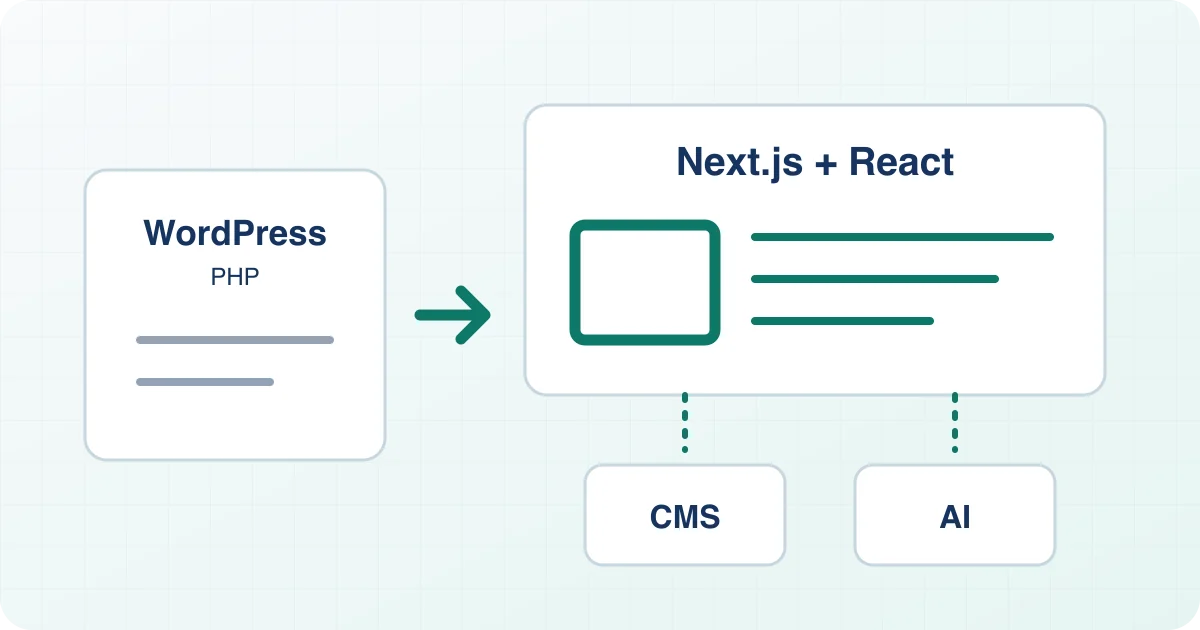
Your website should explain what you do and bring in enquiries. Instead, there is another WordPress, plugin or server update to deal with. Our migration service for €499 + VAT moves your site to a new foundation: Next.js and React, fully replacing WordPress and PHP.
The aim is a website that fits your working day: less recurring plugin upkeep, reliable workflows and content editing that can be simplified with AI. We review the architecture and features you need before the work begins.
Why consider moving now?
WordPress makes many features readily available. Each extra theme, plugin and service also adds another component that needs to work with the rest and stay maintained. WordPress Core and the PHP runtime need attention too. Vulnerabilities can appear at any of these layers.
Recent examples make that clear:
- WordPress Core: The 7.1.2 security release on 22 September 2026 fixed a critical flaw. Under particular theme and server conditions, it could allow code execution. That historical fix version is not a substitute for today’s current patch level.
- Plugins: In September, Wordfence documented active attack attempts targeting Super Forms. That finding concerns the vulnerable extension, rather than every WordPress website.
- PHP: Two critical PHP vulnerabilities were disclosed on 21 October and can also affect WordPress hosting. Our PHP update guide lists the fixed versions and the immediate steps to take.
These are good reasons to review your architecture. Your existing WordPress website still needs the appropriate updates now. Do not put them off while waiting for a migration.
Can attacks really begin within 24 hours?
Yes. Attack attempts can start much sooner. For the Core flaw mentioned above, Patchstack observed probing and attack attempts on the day the patch was released. That demonstrates a response window of less than 24 hours, not successful compromise of every targeted site. Source: Patchstack
AI can accelerate analysis too. watchTowr reports reproducing a different WordPress vulnerability, “wp2shell”, with its AI system in 22 minutes. This was a research result, not evidence that the attackers observed above used AI. For site owners, the practical lesson is to have a clear owner and a fast process for security updates. Source: watchTowr
What are Next.js and React, in plain English?
React is a toolkit for your website’s interface. Reusable pieces such as navigation, content sections and buttons are assembled to suit your site. Next.js is the framework around it, organising pages and how they are delivered.
For many business websites, portfolios and resource hubs, we can build pages in advance. Visitors receive ready-made HTML, CSS and any JavaScript needed. A visit does not need WordPress, PHP and its plugins to assemble the page again. Think of a brochure prepared and ready to hand over.
Contact forms, search or booking features may need suitable services. We plan those deliberately to keep the architecture lean while covering the things your business actually needs.
What becomes easier day to day?
- Less update coordination: Once WordPress is fully replaced, you no longer need to keep its themes and plugins working together. The features you need are built or connected deliberately.
- Pages are ready to serve: Much of your content can be prepared in advance. A visit then does not need PHP to assemble a WordPress page with database queries.
- See changes before publishing: Review new text and pages in a preview, helping catch mistakes before they go live.
- Edit without technical knowledge: If useful, edit text and images in Payload or Sanity, or get help from ChatGPT or Claude. Integration and setup are agreed separately.
For example, a new service page can be drafted, reviewed with your team and then published. Recurring maintenance of a WordPress plugin collection goes away; the new system’s necessary updates become a separate, clearly defined part of running the site.
This can reduce maintenance and common causes of outages. Actual speed and reliability also depend on images, external services and your site’s individual features.
The security benefit comes from the architecture
Without a running WordPress and PHP installation, their specific attack paths are removed from the new website. Next.js also publishes security updates, including on 14 October 2026. Hosting, accounts, software packages and connected services still need maintenance.
A new frontend connected to a WordPress backend would be a different approach. That setup, known as headless WordPress, still needs PHP. The aim described here is full replacement, so old installations and remaining plugin dependencies are part of the migration review.
Edit content through ChatGPT or Claude
Imagine asking: “Draft an article about our new service and show me a preview.” Or: “Update our opening hours on the relevant pages.” With a configured connection, ChatGPT or Claude can prepare changes and, within their permissions, make them in your content system.
The connection uses approved interfaces such as MCP: essentially a bridge between the assistant and the content system. A chat account alone is not enough. Permissions and review steps need setting up: what can the assistant read, can it edit drafts, and who publishes?
That can reduce repetitive steps while keeping you in editorial control. Important claims should be reviewed before publication. We plan the workflow and integration effort with you; sensitive information should only go through services approved for it.
Payload CMS or Sanity: edit content yourself
A CMS is your editing area for text, images and articles. It can be separate from the public website. For frequent publishing or multiple editors, we recommend considering Payload CMS or Sanity.
Payload CMS offers a customisable interface and an official MCP integration with configurable read and write permissions. Sanity combines structured content with its own editing interface and also supports AI assistants. Either can support content editing without WordPress.
You can edit without AI as well. A CMS adds its own accounts, operation and possible subscription costs. Setting up Payload or Sanity is an additional service agreed separately. We help you choose a system that fits the way your team publishes.
How we migrate your WordPress website
- Review the site and scope: Send your website URL. Together, we identify pages, posts, media and features, including shops, memberships, bookings, languages and external connections.
- Agree the work: Migration costs €499 + VAT. Additional features and CMS setup are agreed separately. Hosting and any CMS or AI subscriptions are clarified before you commission the work.
- Prepare the new website: We transfer the agreed content and rebuild its presentation with Next.js and React. Where there may have been an incident, we first check the content for suspicious material.
- Test pages and features: We check the layout, navigation, contact routes and agreed workflows. You preview and approve the new site before the switch.
- Switch in a controlled way: Existing URLs stay wherever practical. Necessary redirects, metadata and internal links are checked. We also plan a way back if an issue appears at launch.
- Hand over the site: We explain content editing, responsibilities and ongoing updates. Once the transfer is secured, the old WordPress installation is retired in a controlled way.
For domain or URL changes, we follow Google’s site-move guidance. Search visibility can still fluctuate; a ranking guarantee would be misleading.
Will this work for your website?
The offer is for WordPress website owners, from business sites, portfolios and blogs to systems with additional features. PHP plugins cannot simply be copied into React. We review how your existing workflows will be replaced. Shop, membership, booking and other additional features are agreed separately.
You do not need to understand Next.js or choose a CMS before enquiring. Send your website URL and list the features you need to keep. Mention “WordPress to Next.js migration” in your enquiry. Please do not send passwords.
You may also be interested
Read next: Critical PHP vulnerabilities: which security updates do you need? →